Skip to content

django-app-starter

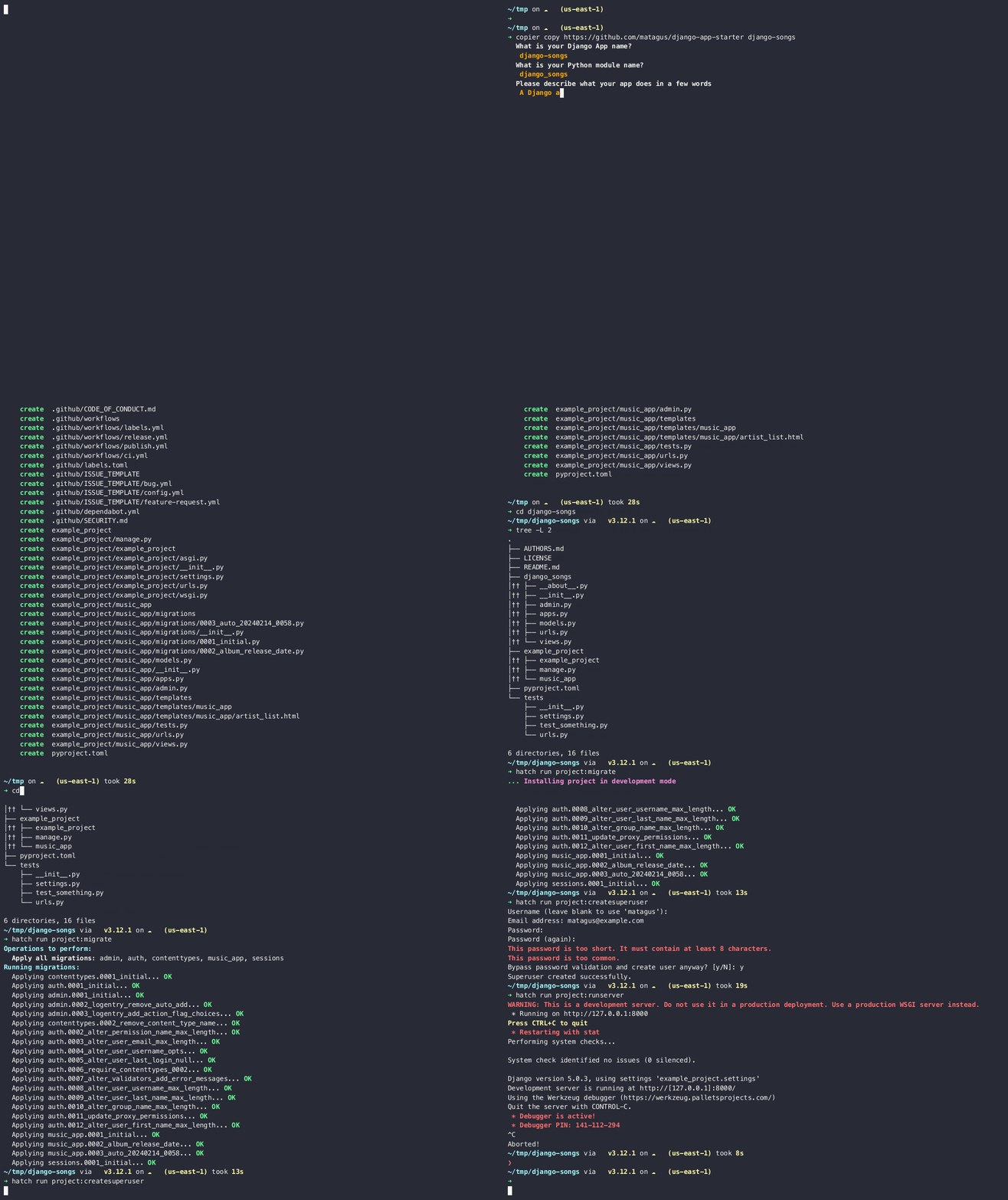
Demo.gif

Python Compatibility Django Compatibility License We use Hatch linting - Ruff code style - black

Generate a new Django app with all the goodies you need to start developing, testing and publishing your app to PyPI and Github.

Features

  • [x] Compatibility with Python 3.10 to 3.14 and Django 5.x to 6.x.
  • [x] Package management and dynamic versioning using Hatch.
  • [x] Testing with hatch for all possible combinations of Python and Django versions.
  • [x] Code coverage reporting to using Coverage.py.
  • [x] Ready to use GitHub Actions pipelines for:
  • [x] CI + reporting code coverage to codecov.io
  • [x] Building and publishing to Pypi when a new tag is pushed
  • [x] Creating a draft release
  • [x] pre-commit configuration with:
  • [x] black for code formatting
  • [x] Linting and formatting with ruff
  • [x] codespell, pyupgrade and several standard checks.
  • [x] Consistent coding styles for multiple editors and IDEs via .editorconfig file.
  • [x] Configuration using pyproject.toml file.
  • [x] README.md file with instructions on how to start developing, testing and publishing your app.
  • [x] An example_project fully configured to try you app from the start.
  • [x] Dependency updates with Dependabot.
  • [x] Issues templates for bugs and features, a Code of conduct file referencing Django's CoC, and a Security Policy config.
  • [x] Sync updates from newest versions of this template with Copier.
  • [x] Standardised list of GitHub labels synchronised on push to main branch using the labels CLI.
  • [x] Documentation with Material for MkDocs and docstring reference support with mkdocstrings.
  • [x] Latest stable documentation published to GitHub/GitLab Pages.

Coming Soon

Usage

Prerequisites

You need to have copier and hatch installed in your system. If you don't have them, you can install them with:

pip install copier
pip install hatch

Then generating a new Django app is as simple as running:

copier copy https://github.com/matagus/django-app-starter <app-name>

You will be prompted to enter some data needed to generate your app, and then you will have a new directory with your app ready to go.

django-app-starter comes wwith an example project you can use to test your app. To run it just do:

cd <app-name>
hatch run project:migrate
hatch run project:createsuperuser
hatch run project:runserver

Also, you can run the tests (for all the Python + Django valid combinations) with:

hatch run test:test

And you can check the coverage with:

hatch run test:cov

To run tests for a specific Python and Django version, for instance Python 3.14 and Django 6.0, you can use:

hatch run test.py3.14-6.0:test

Learn more about hatch and its commands in the official documentation or just ask for help in our Discussion section.

Contributing

Contributions are welcome! ❤️

License

django-app-starter is released under an MIT License - see the LICENSE file for more information.

Webliography